
Record, analysis, picture and music
What can be done with a finished game: replay the record, have it analysed, draw a picture and compose music; and let the computer play against itself.

These tools are in Kastgard (Principalities, Tribes, Free play and the daily challenge); Colony and Lines have no record and no analysis.
The record
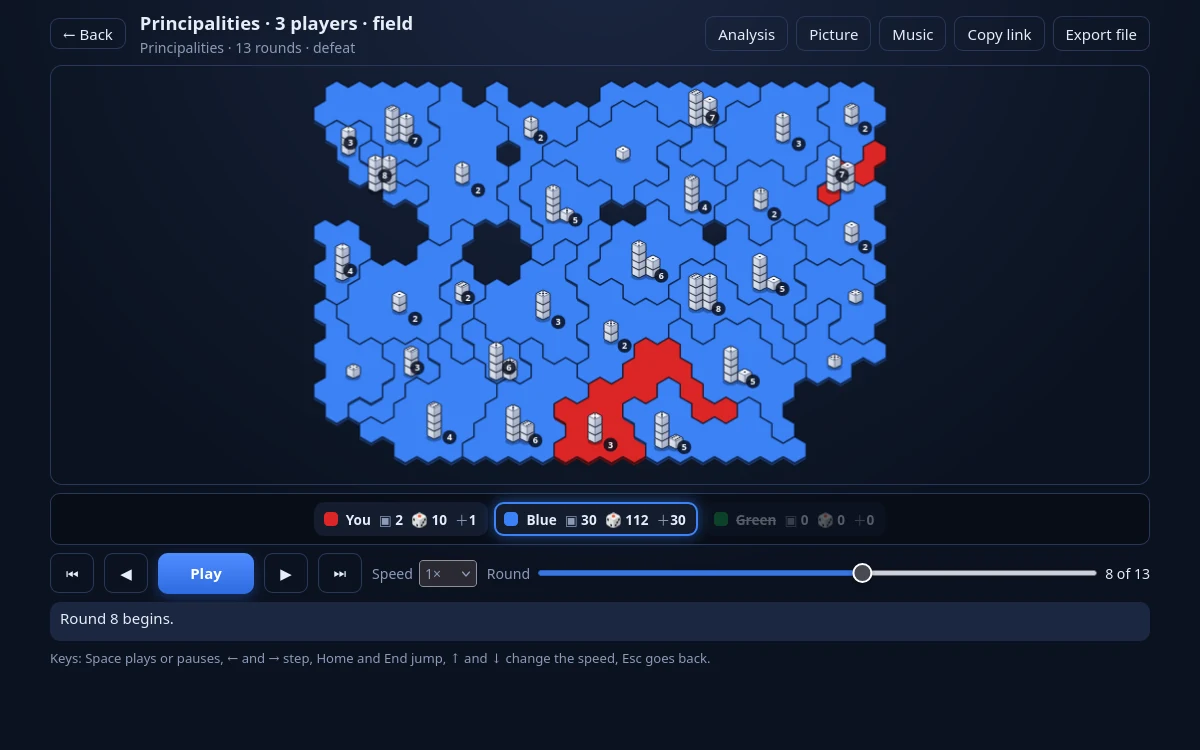
The game keeps the records of the last 20 games, only on your device (Controls, display and saved data). You find them in the Statistics on the tab Replays and on the card at the end of a game (the Replay button). The viewer has Play and Pause, a step, a speed and a slider of rounds; keys: Space, the left and right arrows, Home and End, up and down (speed), Esc. A record can be shared by a link or a file; a record from another version of the game is marked "outdated" and cannot be replayed.
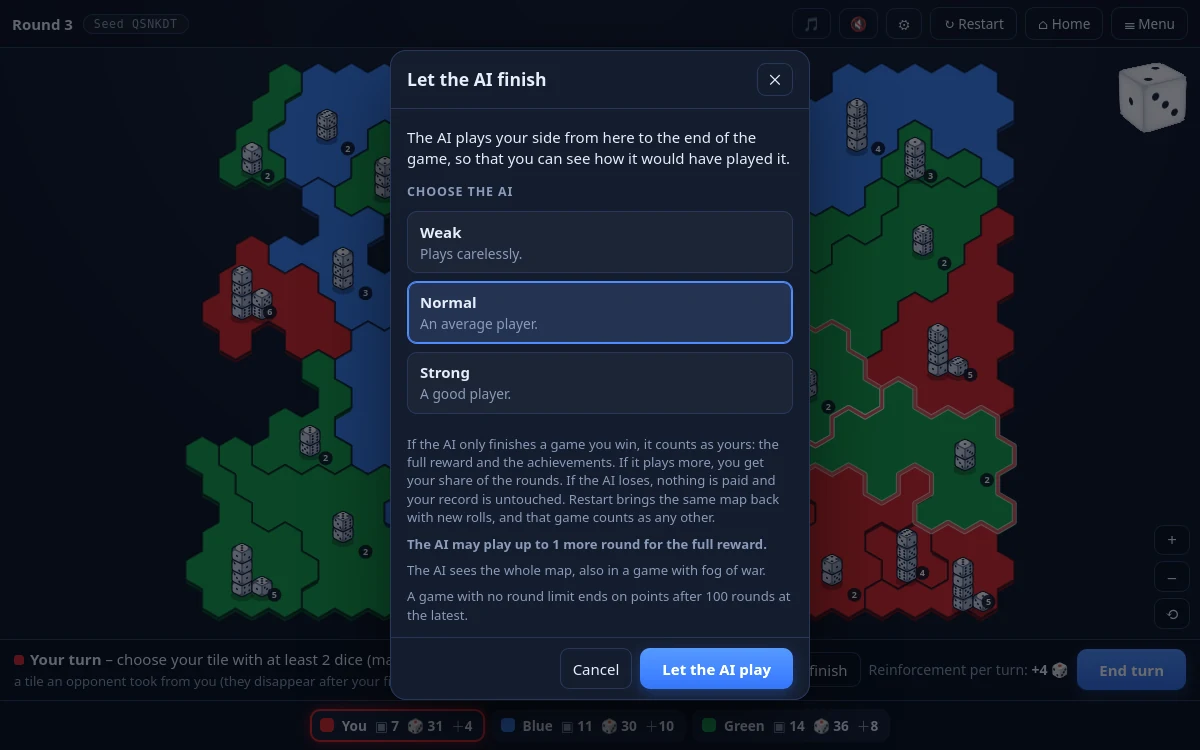
Let the AI finish: a button that finishes the game for you. The game counts as yours when the AI played at most a quarter of your turns (at least one); otherwise the reward is divided by the share of turns.
Watch a game
The tile Watch a game lets the computer play against itself on your map from Free play. Nothing is paid, saved or recorded. You can choose 2 to 8 seats, a level and a personality for each seat, and a speed from Slow to As fast as possible; the next game starts after 3, 5, 10 or 30 seconds if "Keep watching" is on. Keys: Space pauses, the right arrow steps, + and − change the speed, N is a new map. The limit is 100 rounds.
Analysis
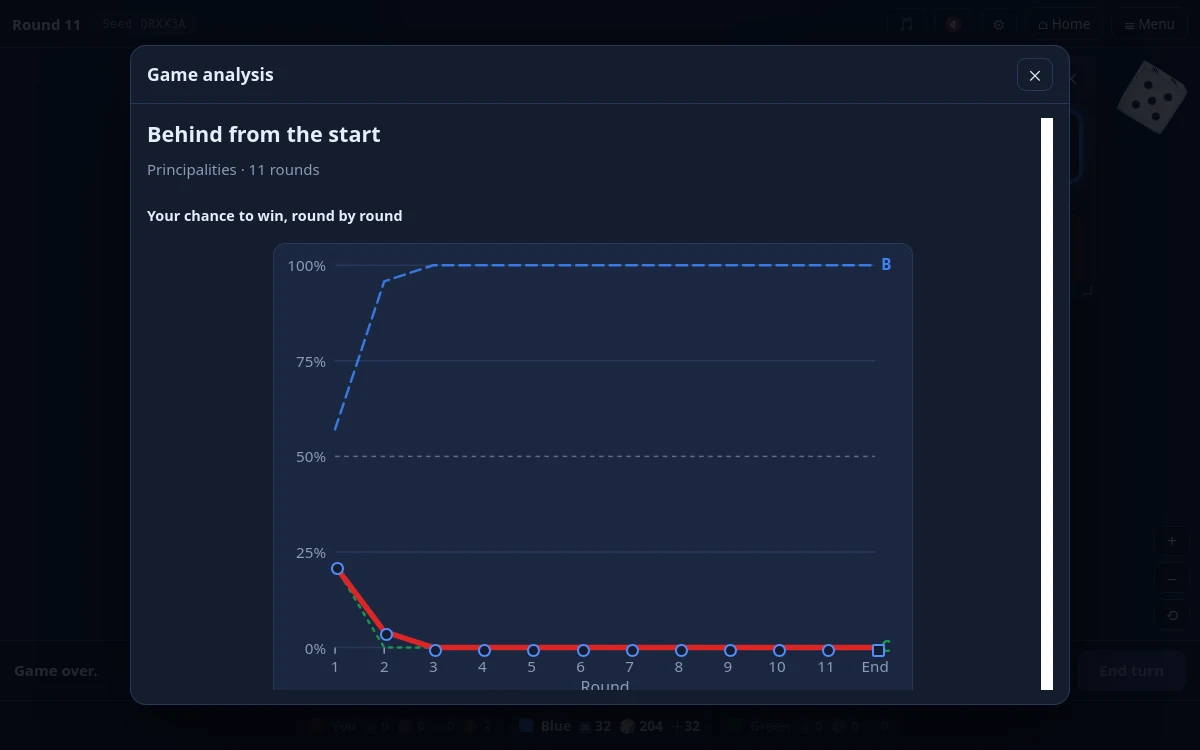
The analysis replays the record and plays the rest of the game many times with the AI from chosen points. The "chance to win" is the share of games your side wins when a level-2 AI plays your side from that point and the opponents play as in your game: it says what the position was worth, not how well you play. It shows a graph by round, a headline, 3 to 5 turning points split into luck and decision, a luck table and tips; the same record gives the same answer.[1]
The game picture
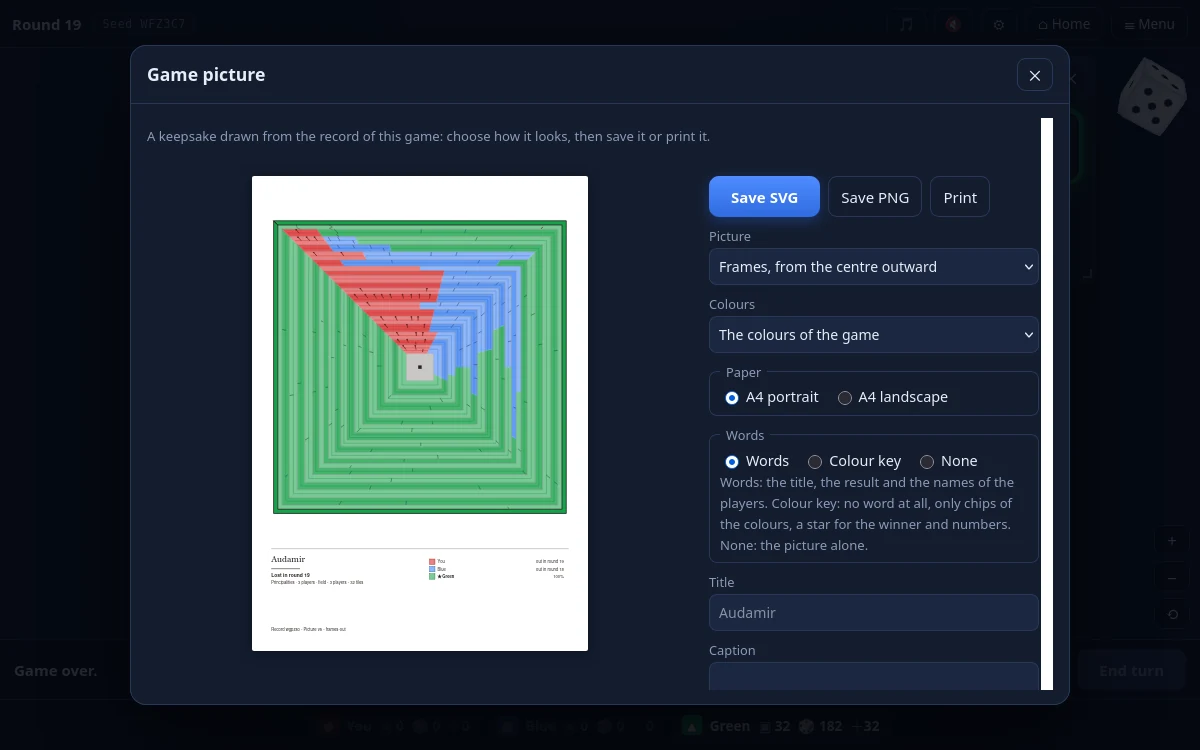
A vector picture is drawn from a finished record in 12 variants (for example rings, frames, panels, a constellation and an imprint of the map), with the colours of the players, a palette for colour-blind players, grey patterns or lines only. It can be saved as SVG, PNG (A4 at 300 dpi) or printed; the "Series poster" joins the last games.
Music

After a game there is a Music button: the record is composed into a piece (your attacks carry the lead voice, the other players further voices, the chords follow who gains ground and the coda tells the result). It can be played and saved as MIDI or sound (WAV). There are 11 styles: Ambient, Techno, Rock, Hip-hop beat, Chiptune, Synthwave, Classical, Space opera, Spaghetti western, Punk rock and Folk metal.
Live music plays during a game and is off by default (for a strong computer; it switches itself off if it slows the game). It has a style, a density (Calm, Normal, Busy) and a volume. In the settings next to it is a Listen button that plays four bars on request and never starts by itself. The live picture (also off by default) is a small window beside the map in which the picture grows round by round; the settings show a sample game so that you can see what On and Off do.
Notes
- See What can be said about one game: a record, an analysis and a piece of music: how far it can be trusted. ↩︎