
Controls, display and saved data
Mouse, touch and keys, the looks and languages of the game, and what is saved in the browser, including the backup and moving to another device.
Mouse, touch and keys
Click or tap your territory and then the neighbouring enemy territory. The mouse wheel or a two-finger pinch zooms the map and dragging pans it; the right mouse button takes back the last placed die or the last move in a puzzle. The setting "Attack confirmation" decides whether the first touch only shows the chance and the second attacks: by default that holds on a touch screen (the mouse attacks at once), and you can choose Always or Never.
| Key | What it does |
|---|---|
| Space or Enter | ends the turn |
| Esc | cancels, goes back |
| H | hints (the chances on the borders; in a puzzle the help of the solver) |
| S | statistics |
| L | legend |
| R | reroll (only when offered) |
| M | move dice (when available) |
| + or = , − , 0 | zoom in, zoom out, original size |
In Colony and Lines a move is confirmed by a second tap.[1]
A phone
Floating windows (statistics, music) become modal below 700 px, the avatar gets smaller and the bar of a game has six buttons (music, sound, settings, restart, home, menu) that fit 360 px. Tiles are arranged on a phone by a grip.[2]
Looks and motion
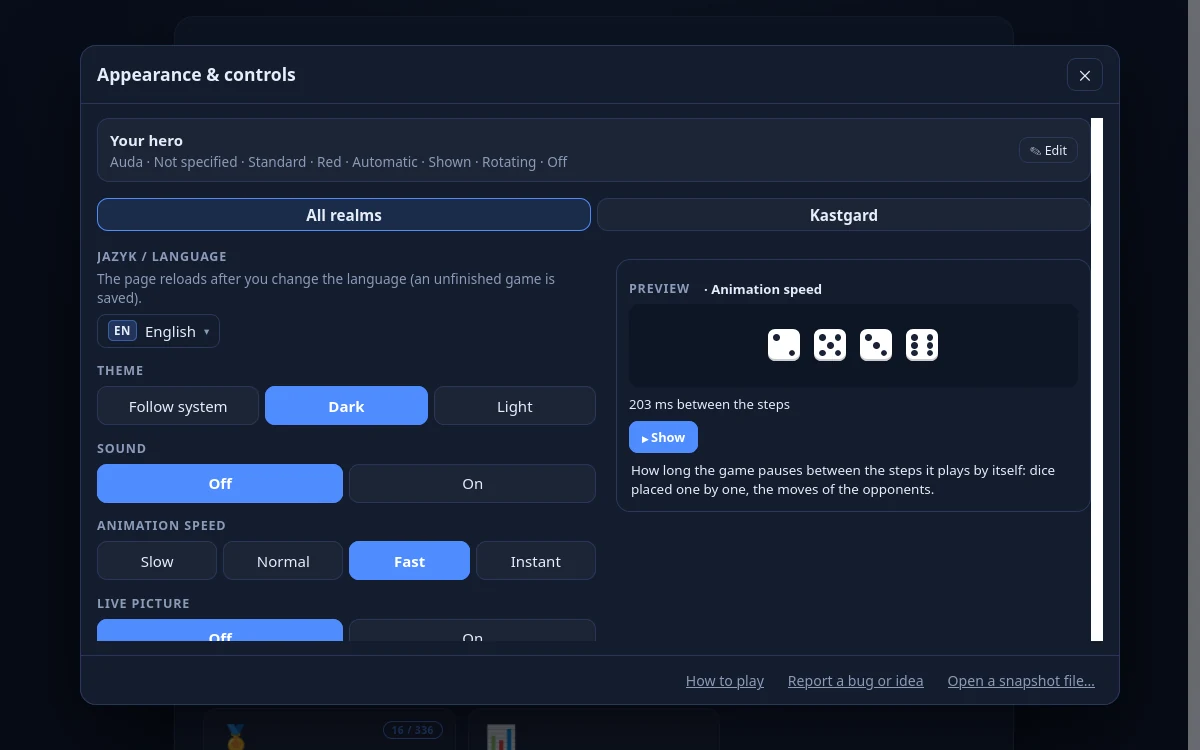
- Theme: Follow system (default), Dark or Light.
- Player colours: Standard or For colour-blind players; the marks of players on the tiles: Automatic, None, Letters, Patterns or Shapes.
- Motion: the game respects the system setting "reduced motion" and offers Animation speed: Slow, Normal, Fast, Instant.
- Sound has 11 synthesised sounds and is on by default; music and Hints are in Record, analysis, picture and music.
Languages
The game has 10 language items (nine languages, Serbian in two scripts): English, Slovenčina, Čeština, Srpski, Српски, Русский, Español, Português, Français and Deutsch. Where a text is missing the English one shows. The language is taken from ?lang= in the address, then from the saved setting, the language of the browser and finally it is English.[3]
Offline
The game uses a service worker: it asks the network first and then the cache. Only the English texts are cached in advance, the other languages are cached once they have been loaded. The game has no install button.
What is saved
Everything is in the localStorage of the browser under keys with the prefix audamir.: the settings, the profile (statistics, a history of at most 1,500 rows, dice, XP, achievements, the name of the hero, the data of Rokgard, the last 20 records, your own templates), the leaderboard (at most 200 entries), the runs of the Campaign and the Iron Run and one unfinished game of each kind. Nothing goes to a server and there is no account.
Backup & restore (a link in the footer): "Download backup" writes a file audamir-backup-<date>.json with the settings, the leaderboard, the profile and the runs of the Campaign and the Iron Run (an unfinished game is not backed up). "Restore from file" asks first, because it replaces the current settings, leaderboard and profile; it refuses a backup from another version of the game and a damaged file changes nothing. This is also how to move to another device: download the backup, open the game there and restore it from the file. There is no other way (no account, no sync). The button "Default settings" resets only the settings and "Clear leaderboard" deletes the leaderboard; the game has no button of its own to reset progress (clearing the site data in the browser does it).